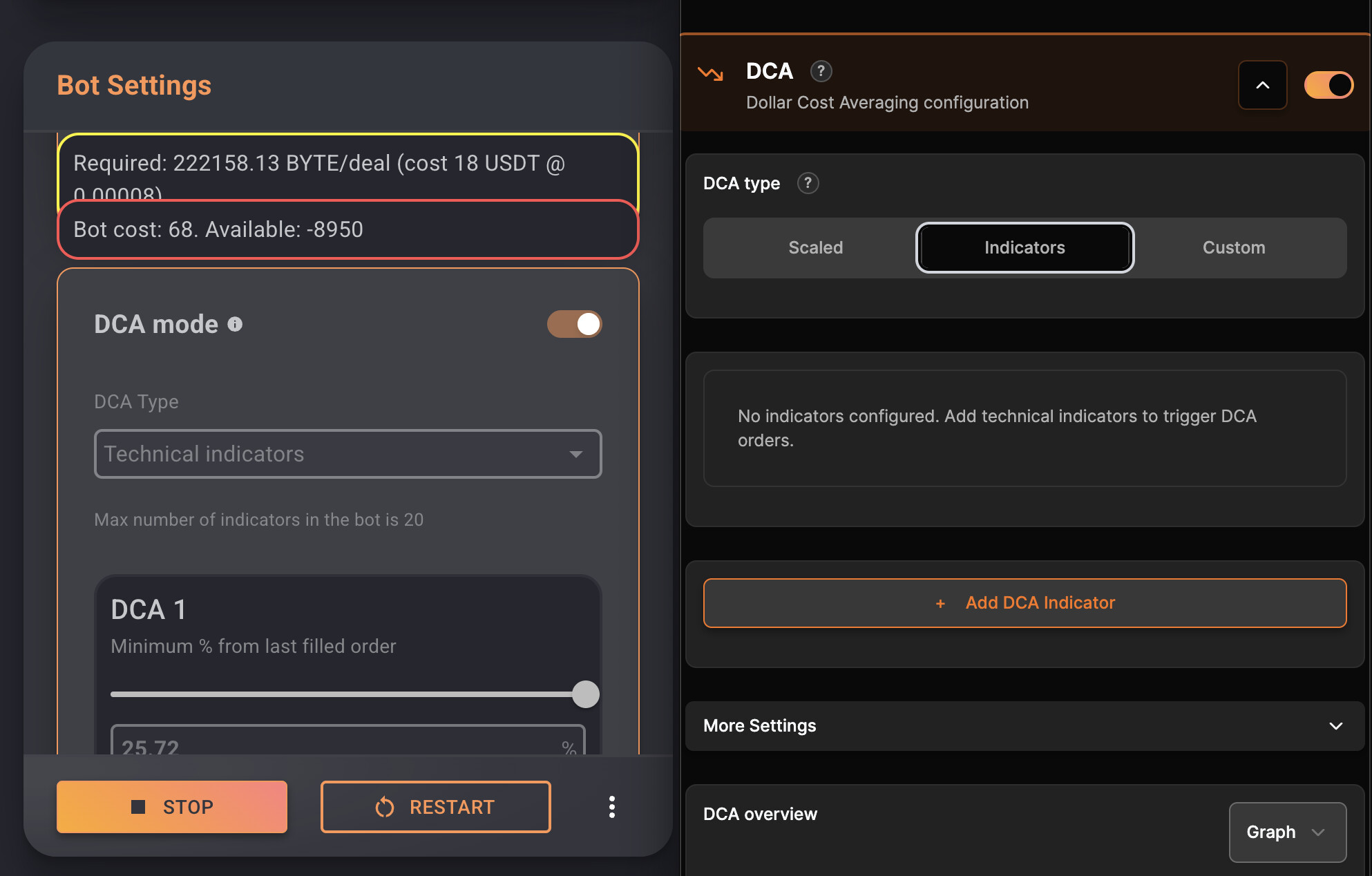
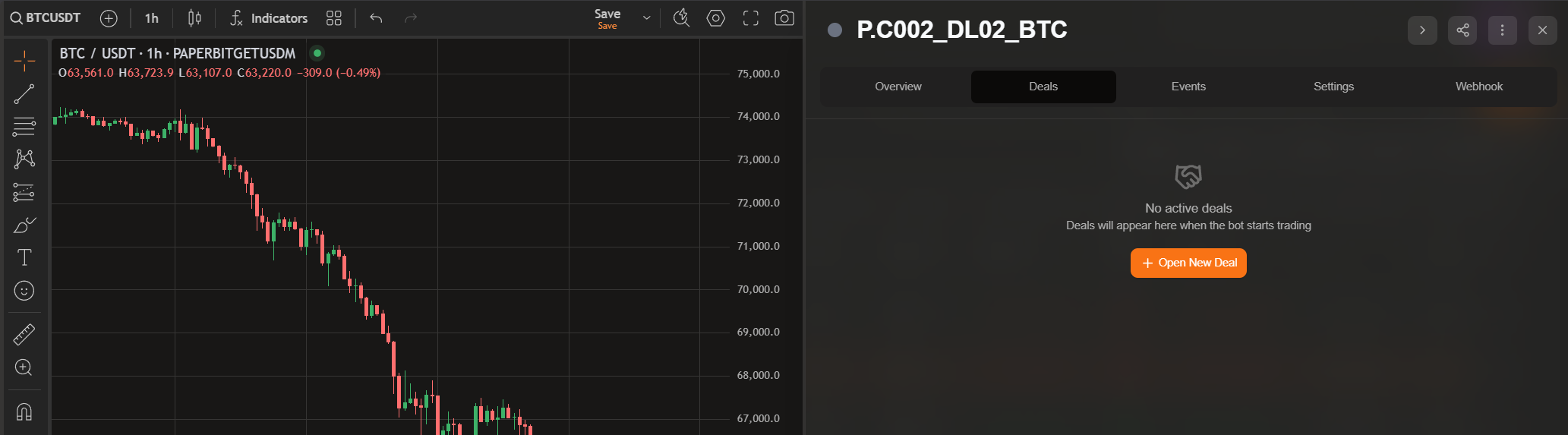
This obviously also returns wrong numbers in the overview (number of max DCA is not 32 but 5 for example) - wrong numbers in max number of indicators allowed, etc.
All bots are affected BUT they work fine in the old UI so I think it’s just a visual bug
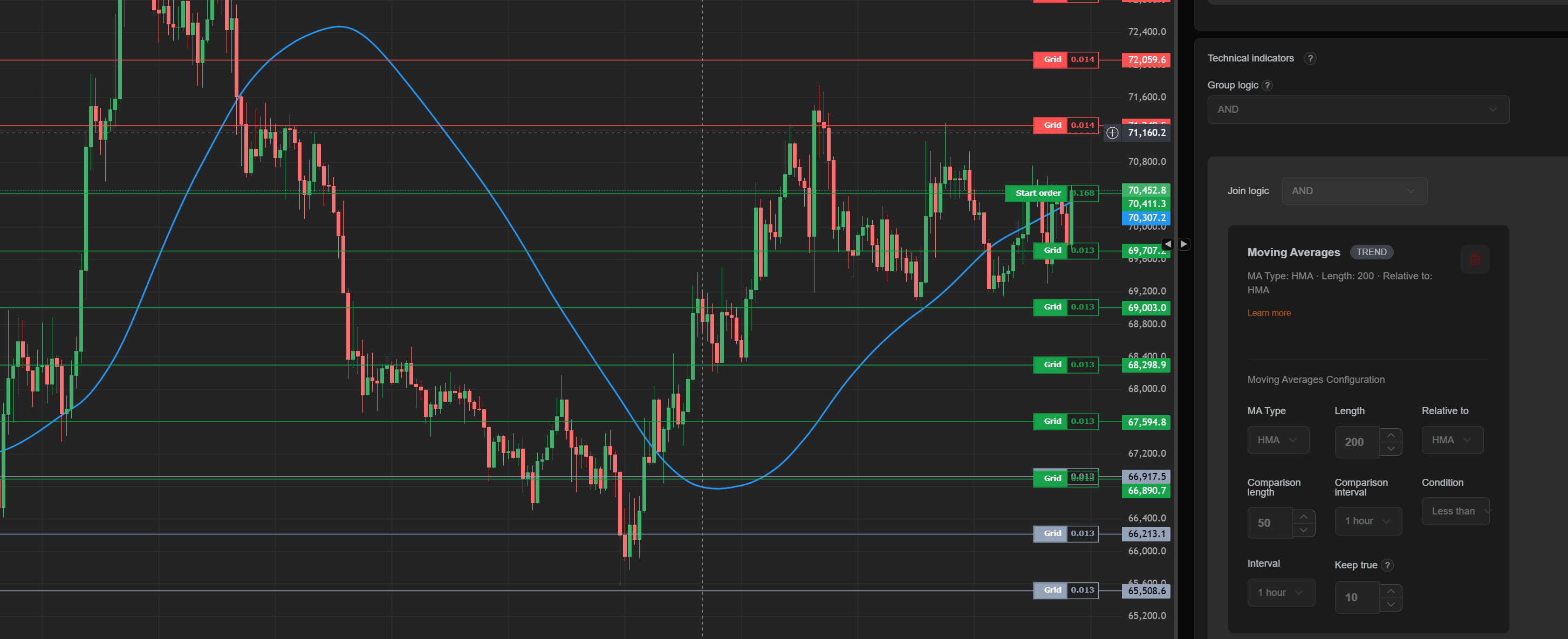
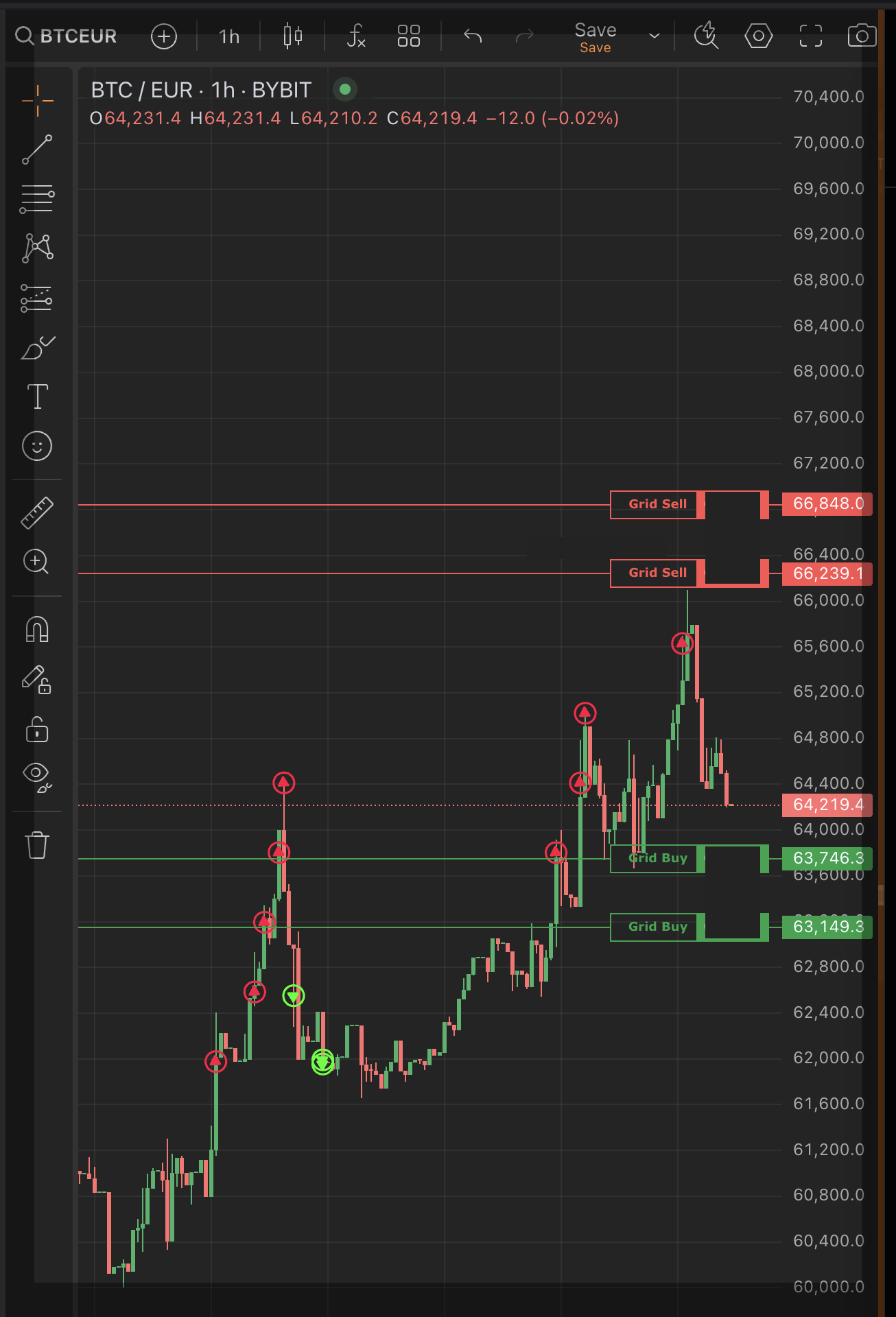
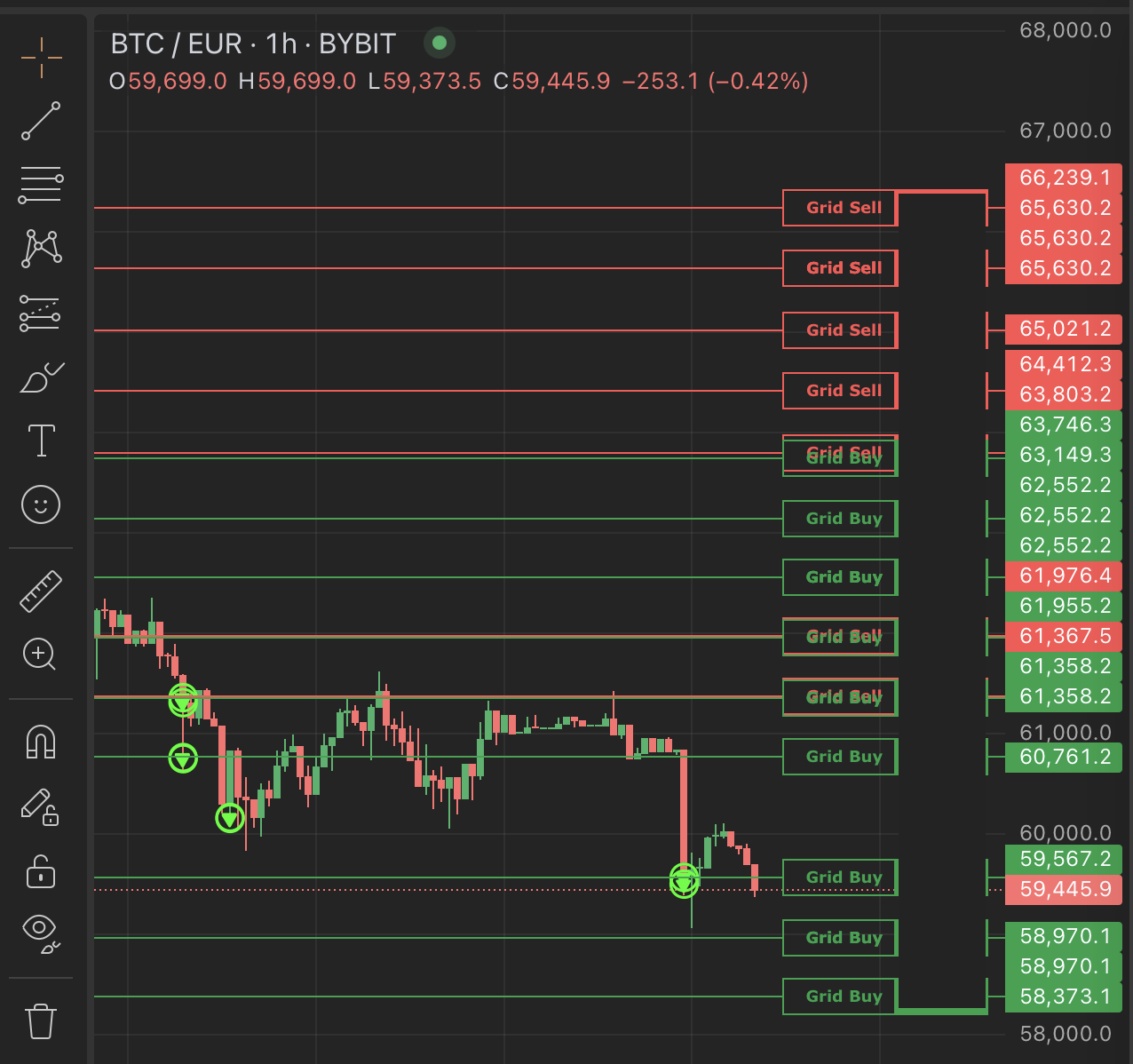
The gridlines still not show correct as reported before, there are multiple lines that are not active anymore showing as active, removing the cache gets rid of them temporarily but they reappear when different gridlines become active.
Also the grey smart order lines are still not visible.
I’m on Safari on iPadOS, but the same issue is on Safari on my Mac on MacOS.
Hello. I defined as as Start condition, thatb HMA 50 has to be above HMA 200. In the chart view there is only one line. I think it is the HMA 200. But there should be the HMA 50 and the HMA 200 line to see clearly.
I pushed some updates, can you check if it solved it? Maybe clear cache first. It’s hard to test on local dev because cache behaviour seems to differ a bit from server.
I’m on MacOS using Brave browser. I’ve just emptied the cache so the gridlines are correct for now but perhaps they will build when price moves like before, I’ll let you know.
I’m still having issues with UI V2.0, let’s try to improve it bit by bit.
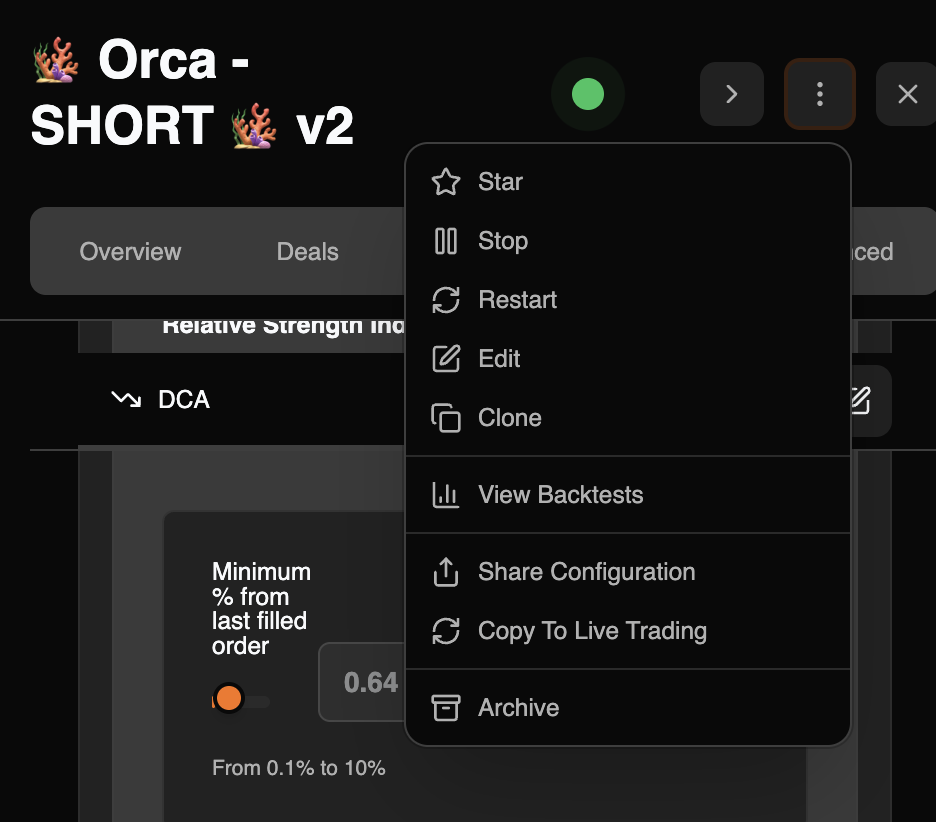
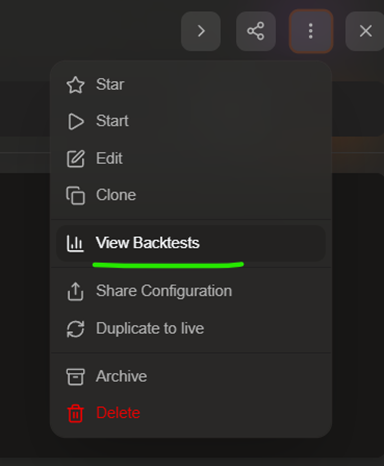
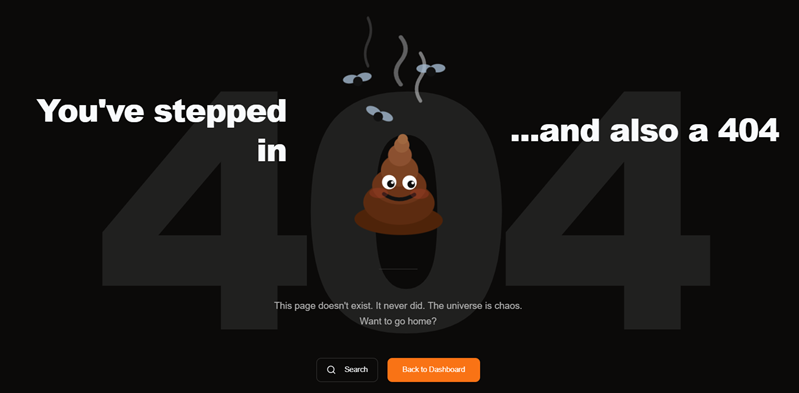
This button “View Backtests” does not work, for trading bot or combo bot. When I click the button in the bot overview, I just get always an error page.
With the combo bot I’ve observed many things, e.g. :
When you work with a bot, then go back to the overview of your combos and click the “new” button, all the fields are not initialized for the new bot, you get the settings of the bot before.
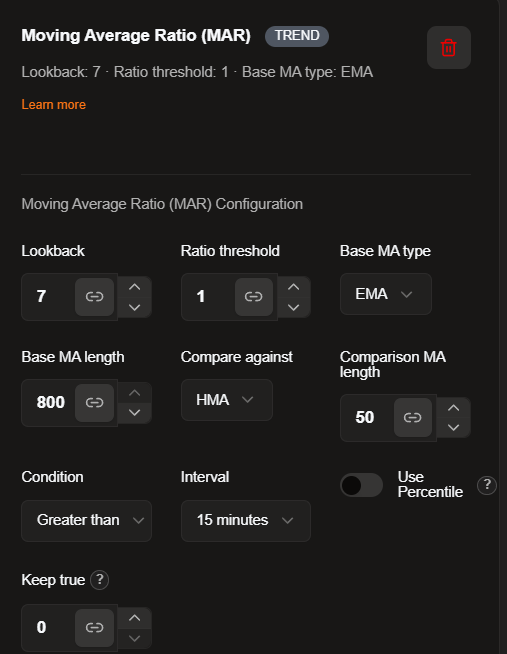
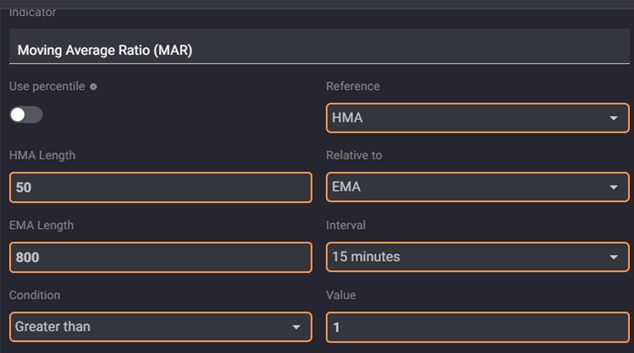
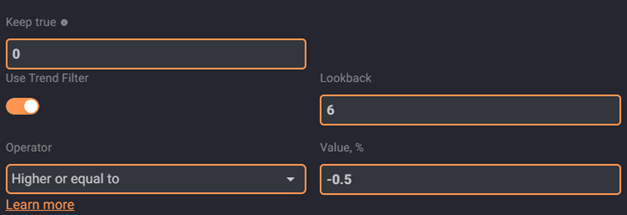
And as you can see, while in old UI we had HMA in “Reference” and EMA in “Relaltive to”, we have in new UI the EMA in “Base MA” and HMA in “Compare against”. Okay, maybe only naming. What is the “lookback” in the new UI? Maybe an error or the half of the trend filter?!
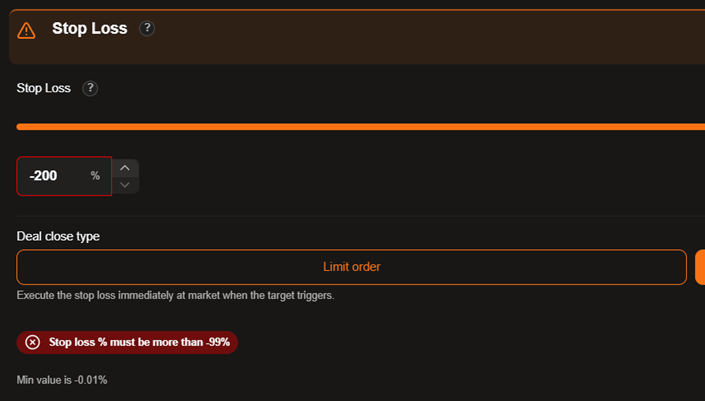
Because I often work with cross margin and high leverage (x50) it would good to have higher values for TP and SL, but it is very limited to only 50% or -99%. Could you please open this for higher values, maybe TP +250% / SL -250% or keep it open? In old UI at least the TP was open.
What do you find confusing? The only difference with V1 is that there is no standalone backtest page, they can be accessed in the context of creating and editing a new bot.
I’m currently accessing the backtest page in V2 via following steps:
(1) Click ‘Trading Bots’ from left panel
(2) Click any bot
(3) Click 3 dot button between ‘Share bot’ button and Close button
(4) Click ‘Edit’
(5) Click 3 dot button next to orange ‘Edit’ button at the bottom
(6) Click ‘Run backtest’
(7) Backtest menu with ‘Quick Setup’ shows up
Is this the right step? Normally, the backtest page in V1 would pull settings and values directly from the bot, whereas the V2 backtest page doesn’t.
I wish there were a dedicated backtest page like there was in V1. The menu is buried too deep for no apparent reason.
Ah, now I understand you. At your point (5) do not press the “3 dot button” but instead the orange Edit button. After that the grey BACKTEST button is visible and all settings of the bot are pulled. Please try it by your own, is this what you want?
So the Backtest can be done as Ares said: “in the context of creating and editing a new bot”
Okay, maybe could be more intuitive. If you have a good idea, let Ares now.
Closed deals of trading bot or combo bot:
With older UI it was easy to see all closed deals after clicking on the bot. In the new UI this is not possible then you are in the bot menu. You can only see open deals (if any) but not the closed deals. Or am I wrong?
You can see all the closed deals in the bot overview, but when you have to filter manually for your bot name.
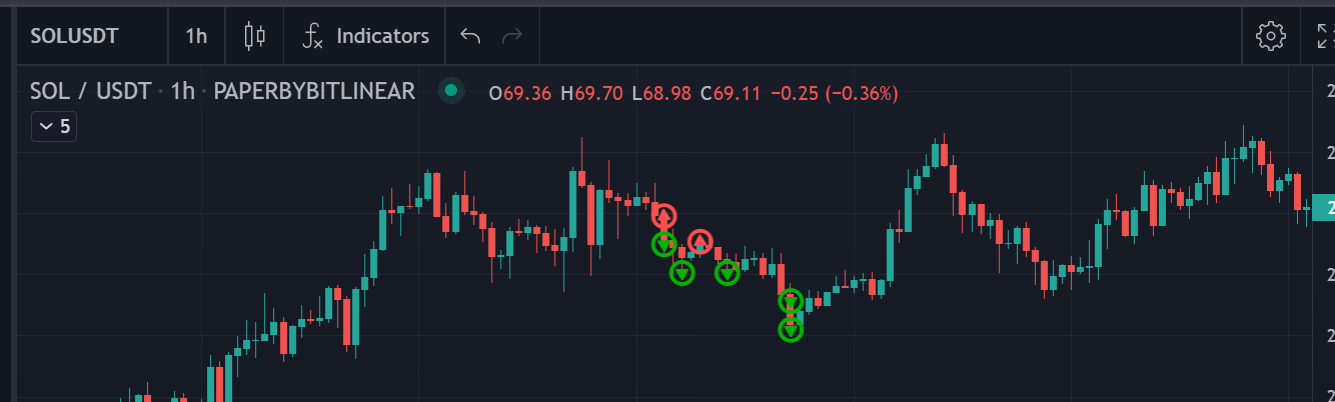
In the older UI it was possible to scroll easy through the closed deals of one particular bot and see in the chart what the deal has done, with the little sell / buy markers, like this:
Do you think you could bring this also into the new UI?
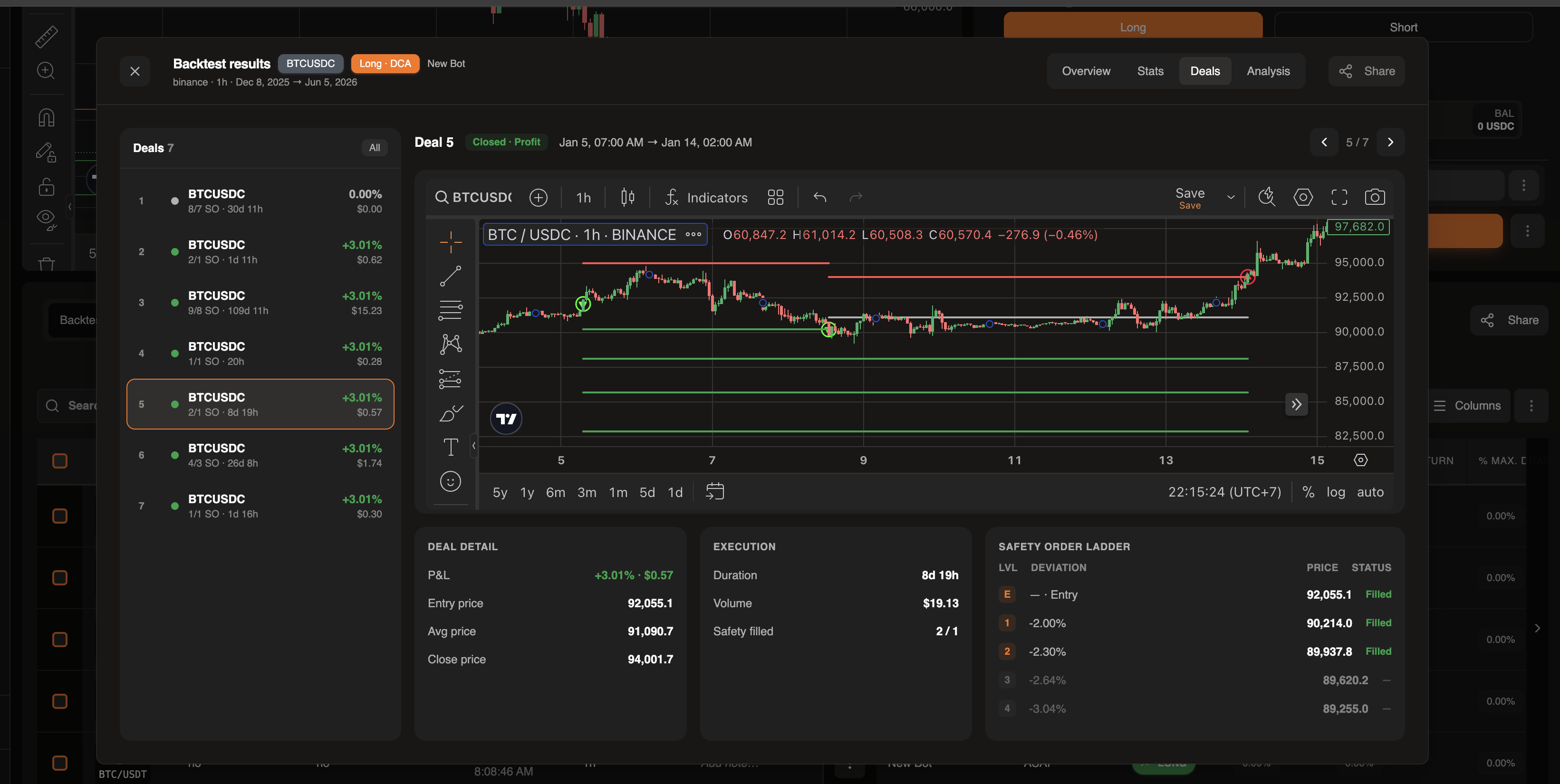
Same for closed backtest deals:
In older UI you could click on the deals of the backtest and saw on the chart why they are failed or not. I often used this to learn what works and what not. Would be nice to have this like before.
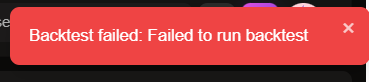
Backtests on server side do not work, I always get an error.
Does not work for Gainium hosted version as for self hosted version. I often used this with the self hosted version before in the older UI.
Backtest results seem to be different to the old version, I don’t know why, I have to investigate this further then I hopefully can say more. But what I’ve found already: I’ve done a backtest for Jan 2024 until now, but it tested Jan 2025 until now instead.